Security cameras have matured from grainy novelty to indispensable infrastructure. What has not changed is the tension between price and performance. I see buyers wrestle with it every quarter: a tempting bundle of four “4K” cameras and a DVR for the price of one premium dome, or a carefully built system that costs more upfront but rarely calls attention to itself. The right choice depends less on spec sheets and more on lifecycle math, failure patterns, and service realities that emerge after the installer leaves.
This is a field where a 200 dollar saving at purchase can evaporate in one truck roll, or where a 30 percent higher camera cost pays for itself in the first difficult lighting condition. If you run a small business, manage an apartment block, or watch over a warehouse, total cost of ownership and long-term reliability should drive the decision more than any one feature.
What total cost of ownership really includes
I treat total cost of ownership as a multi-year calculation. It includes acquisition costs, installation labor, cabling, network gear, recording or cloud fees, periodic maintenance, replacements, software licensing, and the cost of downtime when footage is missing or unusable. For a typical eight-camera system running five years, the purchase price can be less than half of the real spend.

Hidden costs surface in four areas. Bad footage causes rework, false alarms, and sometimes lost claims. Firmware problems consume hours, especially with mixed brands. Storage miscalculations force early upgrades. Finally, servicer availability determines whether a failure is a nuisance or an exposure. On paper, budget vs premium CCTV systems look closer than they are. In practice, the service layer separates them.
Where budget gear makes sense, and where it does not
I maintain mixed estates that include premium boxes in mission-critical spots and budget models covering low-stakes zones. A well-placed low-cost turret at a quiet back gate can work fine. The trouble starts when budget cameras are asked to pull double duty, like reading plates at a moving entry, identifying faces across a parking lot, or calming complaints from tenants about motion alerts going off every hour during a windy night. In those cases, cheap optics, weaker image signal processing, and limited firmware tuning turn into daily friction.
If you must economize, choose locations with stable lighting, short fields of view, and minimal analytics. Avoid putting budget cameras in variable light, reflective interiors with glass, or long corridors where depth-of-field matters. Spend the money on two or three premium cameras for the hard scenes rather than buying ten budget ones for blanket coverage that still misses the moment you care about.
Practical reliability differences you notice after year one
Most cameras look competent during the first week. Differences appear with seasons, power blips, and changing scenes. Budget housings yellow and crack in sun-exposed harsher climates. Silicone seals age unevenly and IR bleed shows up as foggy halos at night. Dome coatings scratch during cleaning and scatter light. Compression artifacts crawl across busy scenes, making identification harder.
At the firmware level, budget devices drift from support. After two years, security patches slow or stop. A cloud update breaks an app. Password reset flows change. Stream profiles fail on certain NVRs. The small problems add up. Premium manufacturers are not immune, but they tend to carry major platforms longer and maintain RTSP and SDK compatibility across generations.
On the electrical side, I see budget PoE models more sensitive to long cable runs and marginal switches. A 90-meter run on a quality Cat6 will still drop frames on a cheaper camera. Premium units tolerate the same run with proper PoE negotiation and better brownout behavior.
Wired vs wireless cameras through the lens of ownership
Wired beats wireless for systems you depend on. A wired run adds labor, but you recover that cost in fewer support calls and predictable performance. Wireless can work when cabling is impossible or intrusion is temporary, yet you pay in instability. Consumer Wi-Fi cameras share spectrum with everything else. They drop off when the microwave runs or the neighbor upgrades a router. They ask for re-pairing at the worst times.
If you must go wireless, use point-to-point bridges with clear line of sight and enterprise radios, not a mesh of residential gear. Isolate camera VLANs, lock channels, and reserve bandwidth. Battery-powered cameras only make sense for infrequent activity or remote spots without power. If a site has meaningful risk, run copper or fiber. The labor is usually a one-time cost that saves you several weekend visits.
The storage decision: DVR, NVR, or cloud
Recording defines your retrieval experience. I still specify top-rated DVRs for small business when the cameras are analog or when budget dictates a classic coax upgrade using HD-over-coax standards. They are simple, local, and resilient. For new builds, NVRs or server-based VMS win. They scale, pair with IP cameras, and offer analytics that grow with you.
Cloud recording finds its place in small fleets with limited bandwidth for live viewing and a tolerance for monthly fees. It is convenient, updates quietly, and removes the burden of local disk failures. The downside is recurring spend and dependency on external networks. The best cloud storage options share three traits: transparent retention pricing, multi-site management, and export-friendly evidence workflows that do not throttle or watermark video at the worst time. Hybrid storage, where critical cameras record locally and mirror event clips to cloud, strikes a sensible balance.
For five-year TCO, local disks are cheap per terabyte, but you must price in drive replacements and someone to swap them. Cloud costs start lower, then climb with retention. Past 10 to 20 cameras with 30-plus days of storage, cloud rarely beats local unless labor is scarce or the footage is rarely accessed.
Brand patterns that persist into 2025
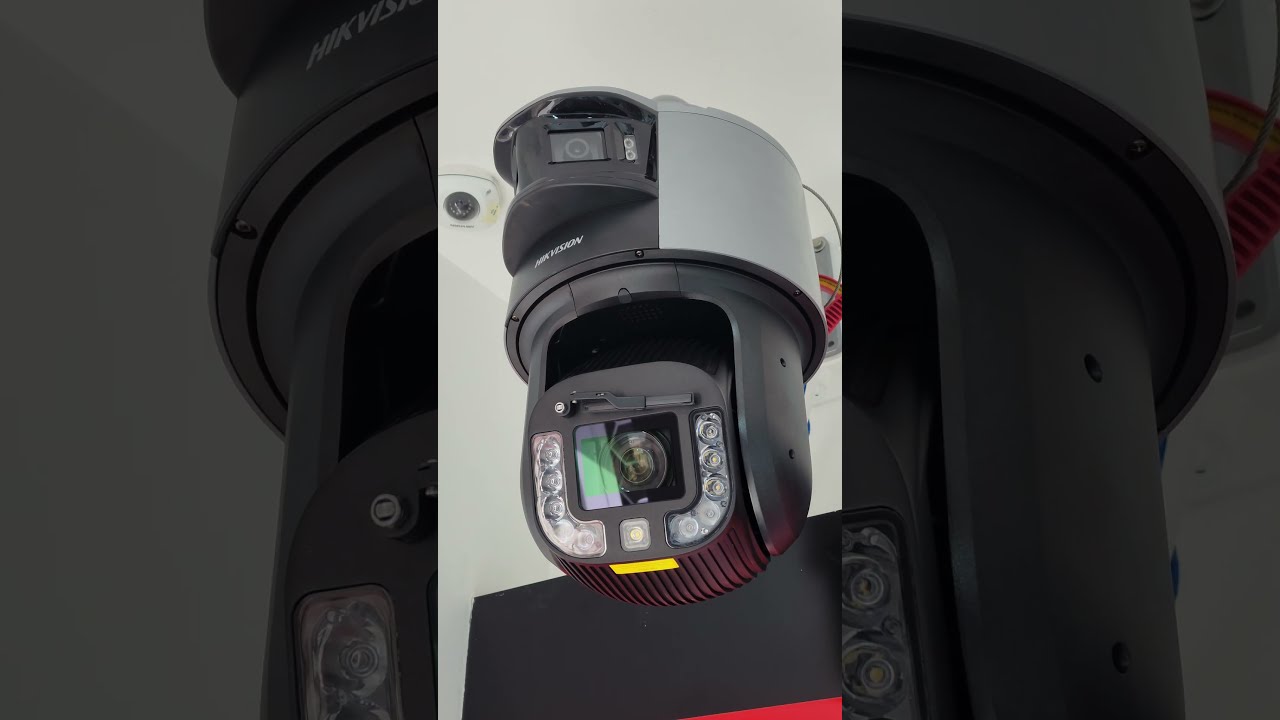
Conversations about best CCTV brands 2025 quickly get tribal. From field experience, I look at track record more than marketing. Hikvision and Dahua still dominate in the mid-market by volume. Their hardware performance per dollar is strong, with massive model ranges. A Hikvision vs Dahua comparison often comes down to management software preferences and regional channel support. Hik tends to have more polished NVR https://privatebin.net/?a527c399cd2d6f9f#CdbxLbpYzQ1SpDEWQ7g7tBFkvsrZ7w6H5bn8kM6ZJacj UI in certain lines, while Dahua’s multi-sensor and PTZ options are broad and aggressively priced. Both offer robust low-light models that outperform many budget competitors. Regulatory considerations matter in some countries where procurement rules restrict certain imports, so check local compliance and support commitments before locking in.
Among budget-friendly IP options, Reolink remains popular for residential and very small sites. A brief Reolink camera review from installations I service: image quality is good under daylight, night performance varies by model, and the ecosystem is easy to set up. They simplify remote access and cloud choices for homeowners. The limitations show up with ONVIF quirks, fewer enterprise controls, and fewer long-term firmware guarantees. If you intend to integrate with third-party NVRs at scale, test thoroughly.
Axis, Hanwha Vision, Bosch, and Avigilon live in the premium lane. The upfront cost is higher, but you get consistent optics, refined WDR, better cybersecurity posture, and deeper integration with access control or analytics. For sites where a single missed incident has legal or financial implications, these brands pay for themselves. In shared-light environments like lobbies with glass doors or loading bays mixing sunlight and sodium lamps, their processors salvage detail that cheaper systems wash out.
Local vs imported CCTV systems and the service reality
Imported systems might offer more features per dollar. Local brands or localized distributions trade on faster service, warranty handling, and on-the-ground technicians. If your operation cannot tolerate a down camera at a gate for a week, local channel strength matters as much as raw camera specs. I keep a simple rule: if the system protects people or high-value goods, choose a vendor with guaranteed parts availability in your region and a clear escalation path. If it is a shop counter or a backyard, you can risk a slower RMA cycle.
The duty cycle also matters. An indoor office camera can live eight years. A salt-air coastal outdoor bullet can corrode in three if the finish and seals are poor. Local suppliers familiar with regional stressors often specify better mounts, sun shields, and desiccants for these environments, which adds years.
Optics, sensors, and the myth of resolution
Marketing leans on resolution numbers. In the field, lens quality and sensor size weigh more than pixel count. A 4 MP camera with a larger sensor and better glass can outresolve and out-identify a bargain 8 MP module. Pay attention to F-number, true WDR ratings, and minimum illumination in color mode. Test for motion blur at night, not just clarity on a static scene. If the system needs identification, calculate pixels per foot on target zones. For faces, you want roughly 40 to 60 pixels per foot, for license plates at speed you need more, and angle matters just as much.
Premium cameras offer varifocal lenses with tighter tolerances and accurate back focus, which means you can tune a loading dock angle correctly and expect it to hold focus through temperature swings. Budget varifocals drift. Domes scratch easily; use turrets or bullets in dusty sites, domes where aesthetics or tamper resistance matter.
Analytics are not free
Object detection, line crossing, vehicle classification, or license plate recognition can reduce false alerts and cut search time, but they demand processing. Budget systems often advertise analytics yet struggle in low light or busy scenes. Premium cameras with on-board accelerators handle changing light and overlapping motion better. Server-side analytics in a VMS can compensate, but that shifts cost to compute and licenses.
Before banking on analytics, run real-world trials at the actual site. I have seen perfect demo videos crumble in a snowstorm or in tree-lined parking lots that flutter all night. Trim trees, add light, and expect to adjust sensitivity monthly in outdoor setups. The cost of babysitting notification noise is rarely in the brochure, but it eats into TCO rapidly if not managed.
Power, switching, and cable discipline
The camera is only as good as its power and network. Under-spec PoE switches cause ghost failures: random dropouts that mimic camera faults. Use switches with enough PoE budget headroom for all ports. Reserve at least 20 percent. If heaters or IR arrays kick in, draw spikes appear. For longer runs, consider PoE extenders or midspans from reputable brands.
Cable matters. Stranded copper patch cable is not a permanent run. CCA cable is cheaper and costs you twice in the long run. Solid copper Cat6 with proper terminations saves time. For outdoor runs, gel-filled direct-burial or conduit with breathable fittings will prevent water ingress that corrodes pairs. Plan grounding and surge protection for sites with lightning history. I have lost more cameras from surges than from defects.
NVR, VMS, and export workflow
An underrated part of ownership is how fast you can retrieve and export usable evidence. Some budget NVRs bundle player software that struggles on modern OS builds or requires obscure codecs. You do not want to teach an officer how to install a player while they wait. Premium platforms produce standard MP4 with embedded timestamps, watermarks that are verifiable, and quick redaction tools for privacy laws. Time saved during incidents reduces soft costs.
Retention should match your risk window. Thirty days is a common baseline. If HR or legal disputes often arise after a month, go to 60 or 90. The storage cost delta between 30 and 60 days on H.265 for eight 4 MP cameras at modest bitrates is a handful of drives, not a new system. Overcompressing to save disk space can ruin the footage when you actually need it.
Outdoor camera reviews from the field
The best outdoor cameras share three traits: solid weather sealing, clean IR or better yet color night performance with supplemental light, and stable mounts that do not drift. Dome gimbals sag over years if they carry heavy lenses. Turrets collect less glare at night and are easier to clean. Bullets are visible and act as deterrents, handy near entry points.
Thermal cameras are a niche that budget lines rarely fill well. For perimeter detection in fog or smoke, a small thermal sensor paired with analytics cuts false alarms dramatically. It is expensive, but for critical borders the reduction in guard time is material.
Coastal installs benefit from marine-grade finishes and stainless fasteners. Inland industrial yards need vandal ratings that actually correlate to impact protection. Reading the IK code is not enough, check mounting surface and screws. A camera rated IK10 mounted on a flimsy junction box is still easy to knock offline.
Security, compliance, and software lifecycle
No system should ship with default passwords. Enforce strong credentials and unique per-device logins through the VMS or NVR. Segment cameras on their own VLAN. Avoid exposing devices directly to the internet. Use VPN or secure cloud relays from reputable providers. Premium brands tend to publish CVEs, issue patches, and provide signed firmware. Budget brands can lag or lack transparency. If your sector carries compliance obligations, factor this into TCO. Remediation after an incident is far costlier than buying a camera with a proper security posture.
Keep a firmware policy. Freeze versions for stable estates and test upgrades on a sacrificial device. Budget systems with automatic updates can surprise you by changing stream profiles or resetting settings. Documentation is part of ownership. Write down IP plans, passwords in a vault, camera orientations, and export procedures. The cheapest system is the one your staff can operate without calling an integrator every time.
How to choose reliable security providers
A good provider lowers TCO by preventing mistakes and showing up fast when things break. I weigh them by three measurable habits. First, they size storage with math tied to your scene complexity, not generic bitrates. Second, they stage and label hardware before arriving on site, which cuts install time and avoids misconfiguration. Third, they commit to a service-level window for critical failures and document it in the contract. Ask for references with similar environments, then call them. Cheap bids that ignore lift rentals, permits, surge protection, or cable trays tend to cost more later.
A provider’s brand relationships also matter. Integrators with direct lines to manufacturers resolve firmware oddities quickly. If they rely on forum posts and consumer support channels, you will wait. Choose partners who carry spare parts for your chosen lines and keep a loaner kit for emergency swaps.
The DVR and small business reality
For small shops with four to eight cameras and coax in the walls, top-rated DVRs for small business deliver stability and low fuss. Hybrid DVRs accept old analog and new IP channels, easing upgrades. The limit arrives when you ask for higher frame rates at 4K, wide analytics, or remote multi-site management. If your growth plan includes more locations, consider an NVR or VMS that scales from day one. The migration cost can exceed the savings of a bargain DVR if you outgrow it within a year.
Where cloud makes life easier, and where it adds risk
Cloud is neat for single-site owners who travel, landlords with scattered properties, or teams without IT staff. The best cloud storage options feel invisible during normal use and transparent at export. Latency and bandwidth are the pitfalls. When your connection dips, recordings will backfill, but live view lags just when you need it. Metered connections rack up charges. For privacy-sensitive sites, storing identifiable video with third parties may complicate compliance. Hybrid remains a safe middle path: critical footage local, event highlights mirrored to cloud for off-site resilience.
Budget, premium, and the five-year math
Let us put numbers on it. An eight-camera budget IP system might run 1,200 to 2,000 dollars for cameras and an NVR, with another 1,000 to 2,000 for cabling and labor depending on the site. Over five years, you could spend 500 to 1,000 on drive replacements, 300 to 600 on failed devices, and a few service calls at 200 to 400 each. If you rely on cloud, add 20 to 40 dollars per camera per year for short retention, more for longer.
A premium eight-camera setup can start at 3,500 to 6,000 for hardware, similar labor, and fewer device failures. Drives still fail, but the cameras usually do not. Service calls drop because the system stays stable. If an incident occurs, you are more likely to pull clean footage without repeat visits, which saves soft costs. Multiply that by the number of times you need evidence, and the delta narrows. For operations with real exposure, the premium path often ends up equal or cheaper over the horizon, not to mention lower stress.
A focused checklist for buyers balancing cost and reliability
- Define required identification zones and calculate pixels per foot rather than shopping by resolution labels. Pick wired over wireless when possible, and size PoE switches with headroom for IR and heaters. Test one of each candidate camera in the hardest lighting condition on site before purchasing the lot. Choose storage for your real retention window and export needs, not just what fits this week’s budget. Select a provider who stages gear, documents configs, and commits to response times in writing.
One last word on future-proofing
Cameras are changing again through smarter on-board processing and better low-light color sensors. That does not mean you need the fanciest analytics today. It does mean buying platforms with room to grow. Look for open integrations, mature SDKs, and consistent firmware policies. Avoid closed islands with shallow support. Keep spare ports, spare PoE budget, and a few blank RU in the rack.
For many sites, a sensible hybrid stack wins: premium cameras in choke points, budget or mid-tier where the view is simple, wired backbone for stability, local recording sized for true retention, selective cloud mirroring, and a provider with skin in the game. If you approach the purchase with five-year ownership in mind, the decision between budget and premium stops being a guessing game and becomes a calculation you can defend.
